
IMGLAB
Instagram Downloader PRO
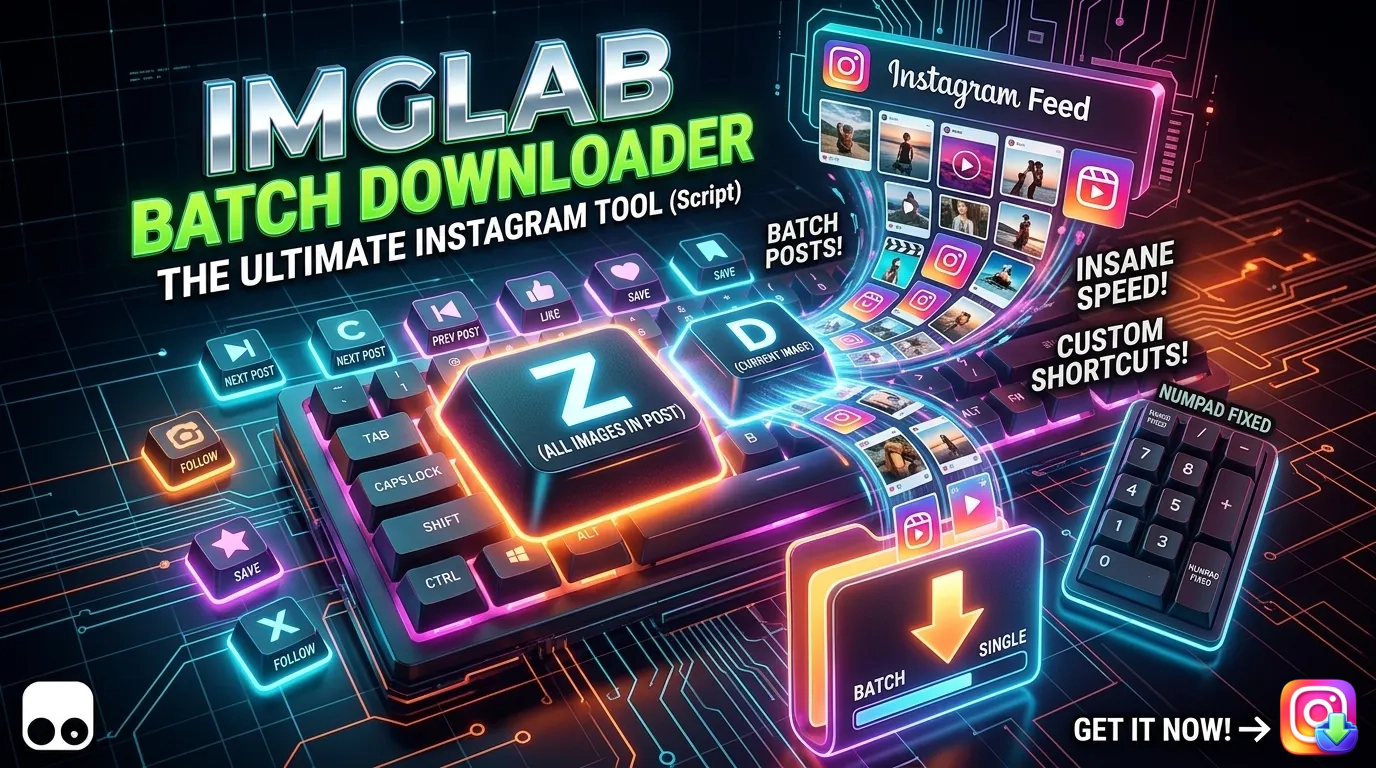
Download any Instagram photo or video with a single keypress — from your feed, profile dialog, or standalone post page. Full carousel support, per-image download tracking with visual state indicators, 10 remappable keyboard shortcuts, and persistent history that remembers exactly which slides you’ve already saved.
shortcuts
per image
feed · dialog · post
zero expiry
The button always tells you the truth about the slide you’re on
Navigate a 10-image carousel and the button updates after every slide transition — no page reload, no manual check. Download image 3, skip to image 7, come back to image 3 days later — it still shows yellow. The script remembers every index.
- ✓ Button refreshes 200ms after each carousel navigation
- ✓ Purple arrow = silent warning — something was saved here before
- ✓ Auto-upgrades to green when all indices are covered individually
- ✓ Single-image posts go straight to green — no yellow intermediate
- ✓ Works in home feed, profile dialog, and standalone post pages
- ✓ State persists across browser restarts via GM_setValue
| Action | Letter key | Numpad (fixed) |
|---|---|---|
| Next post | C | Numpad2 |
| Previous post | E | Numpad8 |
| Like post | L | Numpad1 |
| Save/bookmark post | S | Numpad3 |
| Open profile / Go home | Q | Numpad7 |
| Action | Letter key | Numpad (fixed) |
|---|---|---|
| Next image | F | Numpad6 |
| Previous image | A | Numpad4 |
| Follow user | X | Numpad5 |
| Download current image | D | Num. |
| Download all images | Z | Numpad0 |
Every key reassignable from the Tampermonkey menu
Open the settings panel from the Tampermonkey extension menu. Click any key badge, press the new key, and save. Numpad keys are fixed reference — letter keys are yours to remap. Conflicts highlight red, Instagram reserved-key warnings show amber.
- ✓ Settings open instantly from Tampermonkey menu
- ✓ Live duplicate detection — red badge + disabled Save
- ✓ Reset to defaults button restores original layout
- ✓ All handlers suppressed while settings panel is open
Knows exactly which images you’ve saved — across all posts
Each post is stored as a single compact entry. A comma-separated list of downloaded image indices — or a single "A" when everything is covered. At ~20 bytes per post, it scales comfortably past 100,000 entries in GM storage.
- ✓
"A"— all images downloaded (permanent green) - ✓
"0,2"— images 1 and 3 only (yellow on those, purple on others) - ✓ Auto-upgrades to
"A"when all indices are individually covered - ✓ Keyboard settings stored separately under versioned key
- ✓ Version key bump discards stale data cleanly on schema change
Press D (or Num.) and only the currently visible slide downloads — not the whole carousel. Reads the active dot indicator (div._acnb with 2 CSS classes) to determine the exact index, then fetches only that image URL via the Info API.
Navigate posts, like, save, follow, open profiles, and download — all from the keyboard. Every letter key is configurable from the Tampermonkey menu settings panel. Capture phase registration ensures shortcuts fire before Instagram’s own handlers.
Every carousel navigation — via F/A keys, Numpad6/4, or clicking the next/prev buttons — triggers a 200ms delayed refreshDownloadBtnState() call. The button is always accurate for the image you’re currently viewing.
After each single-image download, markImageDownloaded() fetches the total carousel count from the Info API and checks if every index is now covered. If so, the storage entry upgrades to "A" instantly and the button turns green.
Three independent keydown handler blocks cover every Instagram view: home feed, profile dialog (detected by SVG rotation), and standalone post page. Download handlers call the correct function per context — no double-firing, no missed keys.
Injects overflow-anchor: none globally at startup, eliminating the browser’s scroll snapback bug when pressing C to navigate posts. Instagram’s lazy-loading React DOM insertions no longer fight programmatic scrollIntoView.
keyDownHandler fires before Instagram’s own listeners. Context is detected — home feed (location.href === 'https://www.instagram.com/'), profile dialog (SVG rotation presence), or standalone post (/p/ path). The correct handler branch runs for the current view.
For D/Num. (single download), getCurrentCarouselIndex() scans div._acnb elements — the dots below the carousel. The one with exactly 2 CSS classes is the active slide. Its index becomes the mediaIndex passed to the Info API.
postGetUrl(btn, articleNode) calls getUrlFromInfoApi(articleNode, mediaIndex) — fetching /api/v1/media/{mediaId}/info/ and extracting exactly the right carousel_media[mediaIndex] URL. Response is cached in infoCache for subsequent navigations.
downloadResource(url, filename) fetches with CORS mode, creates a blob URL, and triggers a hidden <a download> click. Then markImageDownloaded(postId, mediaIndex, articleNode) saves the index to GM storage and checks for auto-upgrade to "A".
Add the Tampermonkey extension to Chrome from the Chrome Web Store. It’s the most widely used userscript manager — free, open source, and actively maintained.
Open Tampermonkey’s dashboard, create a new script, and paste the IMGLAB Instagram Downloader PRO source. Save and enable. The script activates on all instagram.com/* pages immediately.
Navigate to any post. Press D to download the current image, Z to download all. Press F / A to navigate carousel slides and watch the button update in real time.
Open the Tampermonkey extension menu and click ⚙️ Keyboard Shortcuts. Click any key badge to reassign it. Changes take effect immediately — no page reload required.
FREE · TAMPERMONKEY · INSTAGRAM
Support IMGLAB Instagram Downloader
Every feature — per-image carousel tracking, auto-upgrade logic, the four-state button system, scroll anchor fix, multi-context keyboard handlers — took real debugging time against Instagram’s constantly-changing DOM. Your donation funds continued development and maintenance.
One-time · Any amount · No subscription · No sign-up
Built with ❤️ by IMGLAB
Ko-fi ·
Buy Me a Coffee ·
support@imglab.net